What to Do After Your Visit to Qdoba in Clarksburg
A practical guide on what to do after visiting Qdoba in Clarksburg, WV. Learn how to manage your receipts, claim rewards, provide feedback, and protect data.
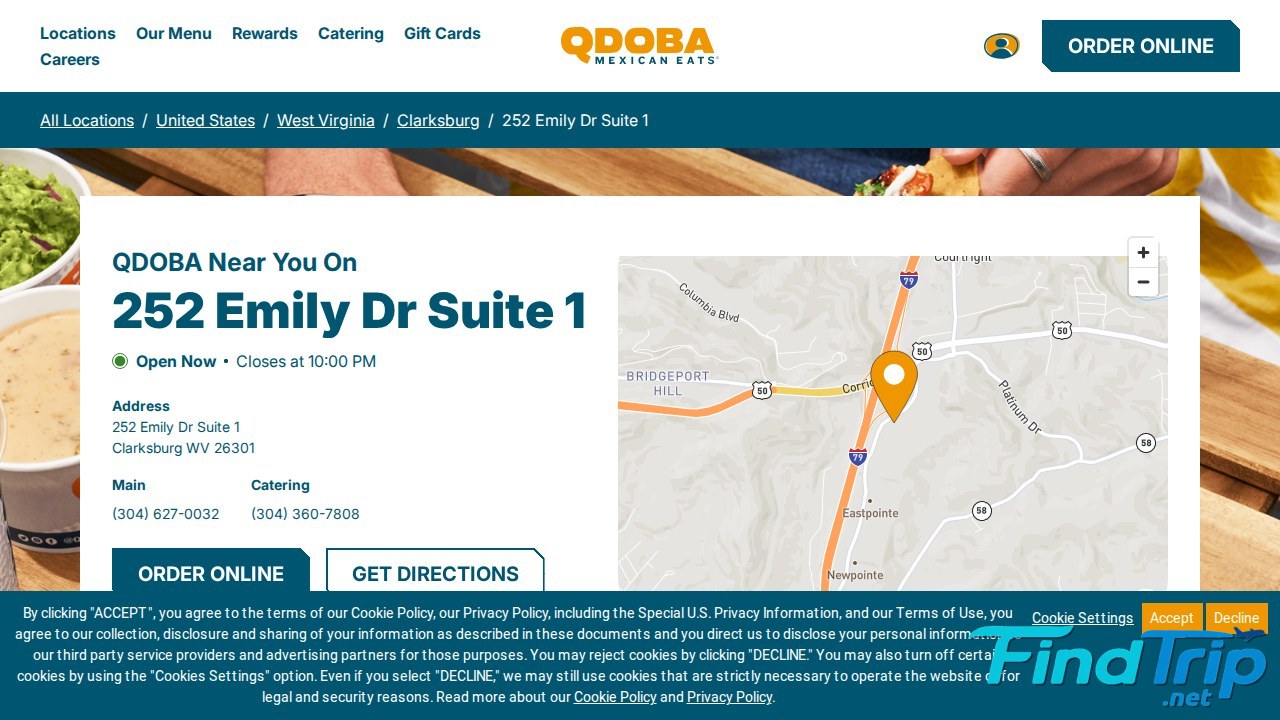
Enjoying a meal at a fast-casual restaurant often feels like a straightforward transaction: you order, you eat, and you leave. However, managing the details immediately following your visit can save you time, protect your personal information, and ensure you get the most value out of your dining experience. If you have recently dined at, picked up food from, or ordered delivery from the Qdoba located at 252 Emily Drive, Suite 1 in Clarksburg, West Virginia, there are a few practical steps you should consider taking once your meal is finished.
Whether you stopped by for a quick made-to-order burrito, picked up a custom bowl featuring flame-grilled adobo chicken, or organized a large catering order for an office event, the post-visit process remains important. From tracking your expenses and managing loyalty rewards to knowing the correct channels for resolving order discrepancies, handling the aftermath of your visit properly is just as crucial as customizing your entrée. This guide outlines the essential actions to take after you leave the restaurant.
Wrapping Up Your Meal: The Post-Visit Checklist
Once you step out of the Qdoba on Emily Drive or finish unpacking your delivery order at home, the immediate focus naturally shifts away from the food. However, taking a few minutes to organize your transaction details can prevent minor frustrations later.
Because Qdoba offers a highly customizable menu—allowing guests to build their own burritos, tacos, quesadillas, and nachos with various proteins like brisket birria and toppings like hand-crafted guacamole or 3-Cheese Queso—orders can occasionally become complex. This complexity makes post-visit verification a smart habit. Furthermore, the Clarksburg location offers multiple service avenues, including dine-in, takeout, delivery, and catering. Each of these service types generates different types of documentation and digital footprints that require your attention.
The immediate period after your visit is the best time to ensure your order was processed correctly, your loyalty points were applied, and your payment information remains secure. By following a structured approach after leaving the restaurant, you can efficiently handle any necessary follow-ups without having to rely on memory days or weeks later.
Why You Should Keep Your Qdoba Receipt or Order Confirmation
The most critical item to retain after your visit is your proof of purchase. Whether you receive a physical paper receipt from the cashier at the Clarksburg location or an email confirmation from an online order, this document serves multiple important functions. Throwing it away immediately upon leaving the restaurant or deleting the confirmation email can complicate matters if you need to reference the transaction later.
Here are the primary reasons you should hold onto your Qdoba receipt or digital order confirmation:
- Verifying Order Accuracy and Charges: Because Qdoba allows extensive customization, it is helpful to review your receipt to ensure you were charged correctly. For example, while guacamole and queso are advertised as free additions to standard entrées, checking your receipt ensures no accidental upcharges were applied to your bowl or burrito. If you ordered extra sides or premium add-ons, the receipt provides a clear breakdown of those specific costs.
- Managing Qdoba Rewards: The Qdoba Rewards program allows members to earn points toward free food with every purchase. The source material notes that new members receive an offer for free queso and chips with their first full-sized entrée purchase. Occasionally, point systems experience syncing delays, or a cashier might forget to scan your app barcode. Your physical receipt contains the transaction number and store details (252 Emily Dr Suite 1) necessary to manually claim missing points through the Qdoba app or website. Without this receipt, recovering lost loyalty points is nearly impossible.
- Expense Tracking and Reimbursements: If you visited the Clarksburg Qdoba for a business lunch or picked up a catering order for a corporate event, the receipt is a mandatory document for your accounting department. Catering orders, in particular, involve larger sums of money. Retaining the itemized invoice ensures you can accurately report the expense, prove the tax amount paid, and secure your reimbursement without administrative delays.
- Resolving Health or Dietary Inquiries: Qdoba provides nutritional and allergen guides for its ingredients. If you or someone in your party experiences an unexpected allergic reaction or dietary issue after eating, the receipt provides an exact timestamp and an itemized list of what was ordered. This information is vital if you need to contact the restaurant to inquire about specific ingredient cross-contamination or preparation methods used during your specific visit.
How to Provide Constructive Feedback Through Official Channels
If your experience at the Clarksburg Qdoba requires follow-up—whether you want to praise an employee for exceptional service or address an issue with your food—it is highly recommended to use official communication channels. While posting on third-party review sites might feel immediate, utilizing the restaurant's direct channels is the most effective way to ensure your feedback reaches the people who can actually resolve the situation.
Depending on the nature of your feedback, there are different ways to contact the management or corporate team:
Immediate Local Resolutions
If you discover an error with your takeout or delivery order immediately after leaving the restaurant (for instance, missing a side of 3-Cheese Queso or receiving flour tortillas instead of soft corn), the best course of action is to contact the local store directly. The direct phone number for the 252 Emily Drive location is +13046270032. Calling the store while they still have your order details fresh in their system allows the local staff to offer a quick solution, such as preparing a replacement item for you to pick up or issuing a direct refund for the missing component.
Corporate Feedback and Catering Issues
For broader feedback regarding food quality, restaurant cleanliness, or the overall dining experience, utilizing the "Talk To Us" or customer service contact forms on the official Qdoba website is the appropriate step. This is especially important for catering orders. If you utilized the Clarksburg location's catering services for an event, providing detailed, constructive feedback through official corporate channels ensures that regional managers review the performance. When submitting feedback online, always include:
- The specific store address (252 Emily Dr Suite 1, Clarksburg, WV).
- The date and approximate time of your visit.
- Your transaction or order number from your receipt.
- A clear, objective description of the issue or the compliment.
Using official channels guarantees that your concerns are logged into the company's customer service system, increasing the likelihood of receiving a formal response, a resolution, or compensation if your experience did not meet the brand's standards.
Securing Your Personal Information After Ordering
In today's digital landscape, dining out involves more than just physical interactions; it often includes digital transactions, app usage, and network connections. The Clarksburg Qdoba location lists Wi-Fi as one of its available amenities, alongside online ordering and delivery options. Because of this digital integration, your final step after leaving the restaurant should be securing your personal data.
If you utilized the restaurant's public Wi-Fi network while dining in to browse the internet, check emails, or download the Qdoba Rewards app, it is a standard digital safety practice to disconnect from the network once you leave. You may also want to instruct your smartphone to "forget" the network to prevent your device from automatically reconnecting to public hotspots in the future without your knowledge.
Data security is equally important if you placed an online order or a catering request using a shared or public device. For example, if you used a communal office computer to arrange a Qdoba catering delivery for a team meeting, ensure that you have completely logged out of your Qdoba account. Do not leave your session active, and verify that your web browser did not automatically save your credit card information or account passwords. Clearing the browser history and cache on a shared device is a simple but highly effective way to protect your financial data and dietary preferences from being accessed by the next user.
Finally, consider how you dispose of your physical receipt. While modern receipts typically truncate credit card numbers, they still contain your partial payment information, signature (in some cases), and location data. Instead of leaving the receipt on the table or tossing it into a public trash can intact, take it with you. Once you have verified your bank charges and ensured your rewards points have posted correctly, shred or securely discard the receipt at home. By taking these brief security measures, you ensure that your visit to Qdoba remains a purely positive and secure experience from start to finish.