Ordering from Papa John's Pizza on Harry L Drive: Step-by-Step Guide
Follow this step-by-step ordering guide for Papa John's at 589 Harry L Drive, Johnson City. Learn how to customize pizza, join Papa Rewards, and avoid delays.
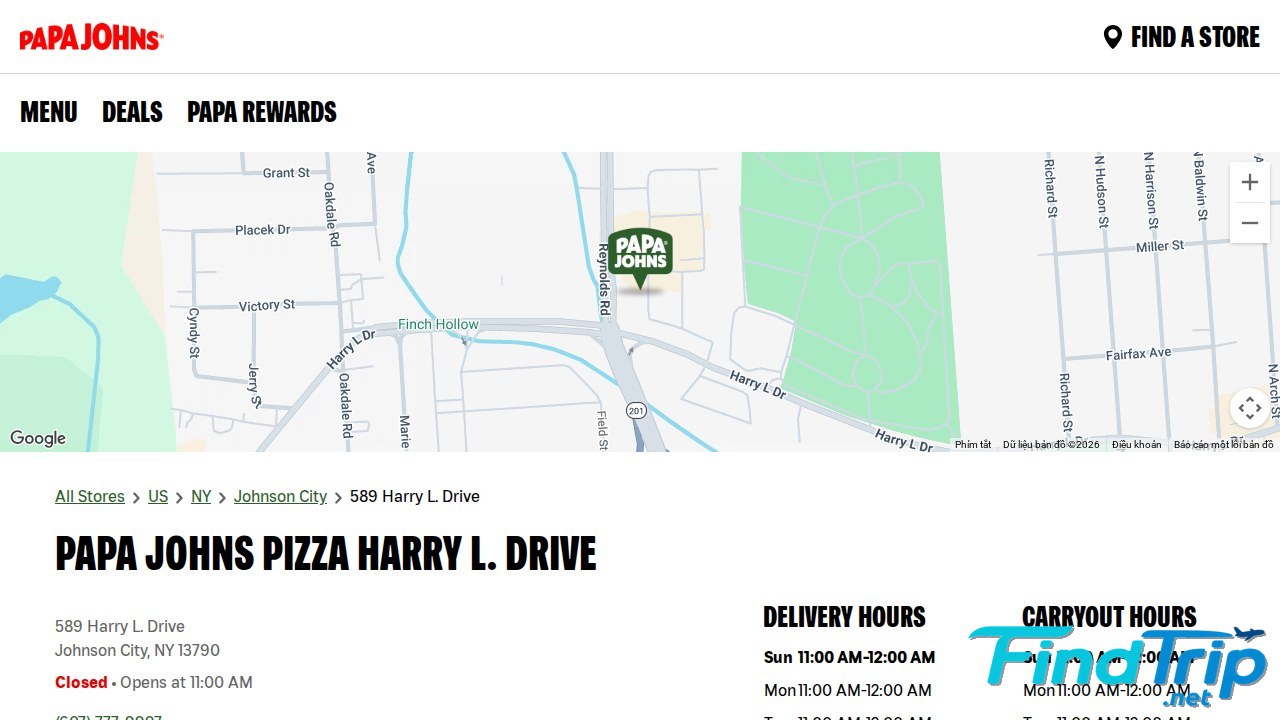
Getting a warm meal delivered or picking up fresh pizza from the Papa John's located at 589 Harry L. Drive, Johnson City, NY 13790 is a straightforward process once you understand how their digital system and local store operations interact. Whether you are placing a quick order during your lunch break or managing late-night food runs for a group, navigating the ordering workflow correctly ensures your food arrives hot, accurate, and on schedule.
This guide provides a complete walk-through of the ordering process at the Harry L Drive location. It covers digital setup, menu customization, fulfillment selection, payment execution, and common order mistakes to help you avoid delays.
---
Overview of the Ordering Workflow at Papa John's Johnson City
Papa John's at 589 Harry L Drive operates primarily as a high-volume takeout and delivery storefront. While you can walk up to the counter or call the store direct line at (607) 777-9997, the fastest and most efficient way to manage custom requests, apply coupons, and track your order is through the Papa John's website or mobile application.
```
+-------------------------------------------------------------------+
| ORDERING OPTIONS |
+-------------------------------------------------------------------+
| 1. Web / Mobile App -> Best for deals, tracking & Papa Rewards |
| 2. Direct Phone Call -> (607) 777-9997 |
| 3. In-Person Counter -> 589 Harry L Drive, Johnson City |
+-------------------------------------------------------------------+
```
Understanding operational hours is critical before placing an order. Delivery and carryout share the exact same schedule at this location:
- Monday – Thursday: 11:00 AM – 12:00 AM
- Friday – Saturday: 11:00 AM – 2:00 AM
- Sunday: 11:00 AM – 12:00 AM
By identifying your fulfillment method early, you can structure your ordering process to match store hours and driver availability.
---
Step-by-Step Guide to Placing and Receiving Your Order
Step 1: Account Setup and Papa Rewards Registration
Before placing an item in your digital cart, decide whether to order as a guest or create an official user account. While guest checkout is faster for one-off orders, creating a profile unlocks benefits via the Papa Rewards program.
1. Access the Platform: Navigate to the Papa John's website or launch the mobile application on iOS/Android.
2. Set Your Location: Enter the delivery address or search for `Johnson City, NY 13790` to automatically connect your session to the 589 Harry L. Drive storefront.
3. Sign Up for Papa Rewards:
- Click the Papa Rewards tab on the navigation bar.
- Enter your basic information: full name, primary email address, mobile phone number, and a secure password.
- Opt into SMS or email notifications if you want targeted store deals and discount codes sent directly to your phone.
4. How Rewards Function: Every dollar spent earns point increments. Over time, accumulated points generate "Papa Dough," which acts as account credit redeemable on future orders of pizzas, wings, breadsticks, or drinks.
---
Step 2: Customizing Your Order and Applying Local Promotions
Once your store location is set to 589 Harry L Drive, you can browse the menu categories: Pizza, Sides (such as breadsticks and Papadias), Wings, Desserts, Drinks, and Extras.
```
+-------------------------------------------------------------------+
| MENU CUSTOMIZATION STEPS |
+-------------------------------------------------------------------+
| [Select Item] -> [Choose Crust/Size] -> [Modify Toppings/Sauce] |
| | |
| v |
| [Check Deals Tab] -> [Enter Promo Code] -> [Review Cart Items] |
+-------------------------------------------------------------------+
```
1. Check Local Specials First:
- Before adding standard priced items, click on the Deals or Specials tab specific to the Harry L Drive location.
- Store-level promotions often include combo meals, bundled carryout specials, or discounts on specific pizza sizes.
2. Configure Your Items:
- Crust Options: Select your base crust type (Original, Thin Crust, Gluten-Free, or Epic Stuffed Crust when available).
- Topping Selection: Choose topping distribution (Whole Pizza, Left Half, or Right Half).
- Sauce and Extras: Select sauce preferences (Signature Garlic Sauce, Tomato Base, BBQ, Buffalo) and specify extra dips or dipping cups.
3. Review Item Modifications: Check every custom tag carefully. If you have dietary preferences or sauce requirements, verify that the builder reflects them in your summary sidebar before adding items to your final cart.
---
Step 3: Selecting Fulfillment (Carryout vs. Delivery) & Status Tracking
At checkout, choose between Carryout (picking up in person at 589 Harry L Drive) or Delivery (having a driver bring the order to your door).
#### Carryout Procedure:
- Select Carryout and verify the store address displayed is `589 Harry L. Drive, Johnson City, NY 13790`.
- Note the estimated prep window provided on the screen (typically 15 to 25 minutes depending on order volume).
- Drive to the store, park in designated spaces, enter the lobby, and present your name or order number at the pickup counter.
#### Delivery Procedure:
- Select Delivery and confirm your exact street address, apartment/suite number, gate codes, and delivery instructions (e.g., "Leave at front desk" or "Ring doorbell").
- Verify that your street address falls within the active delivery radius for the Johnson City store.
#### Order Tracking Workflow:
- After order submission, access the online Order Status Tracker.
- The tracker moves through four distinct stages: Order Received $\rightarrow$ Making $\rightarrow$ Baking $\rightarrow$ Ready for Pickup / Out for Delivery.
- If you placed your order over the phone at (607) 777-9997, you can call the store back with your phone number to request a quick status update from the shift manager.
---
Step 4: Transaction Finalization and Payment Processing
The final phase involves confirming payment and reviewing your order details before submission.
| Payment Method | Accepted Online | Accepted In-Store (Carryout) | Notes |
| :--- | :--- | :--- | :--- |
| Credit / Debit Cards | Yes | Yes | Visa, Mastercard, AMEX, Discover |
| Cash | Dependent on store rules | Yes | Drivers carry limited change for delivery |
| Papa Dough / Gift Cards | Yes | Yes | Enter gift card numbers during digital checkout |
| Digital Wallet (Apple Pay/Google Pay) | Yes (App/Web) | Varies | Check device compatibility in app checkout |
1. Apply Promo Codes: Locate the promo code field in your shopping cart summary. Enter any active coupons or select available store discounts before entering payment details.
2. Apply Rewards / Papa Dough: If you hold accumulated Papa Dough credit, select the box to apply the balance against your order total.
3. Review Order Summary: Check the line items, tax calculations, tip amounts (for delivery), and final total.
4. Submit & Save Confirmation: Click "Place Order." Retain the digital receipt sent to your registered email address or screenshot the order confirmation number generated on screen.
---
Common Mistakes and How to Prevent Them
Ordering mistakes can cause cold food, extended wait times, or misrouted deliveries. Review these common operational issues and how to prevent them:
1. Selecting the Wrong Store Location
Broome County contains multiple municipal borders that sit closely together (Binghamton, Johnson City, Endicott).
- The Issue: Accidental selection of a nearby store instead of 589 Harry L Drive.
- The Solution: Always double-check that your order summary explicitly lists `589 Harry L. Drive, Johnson City`. If you drive to Harry L Drive but accidentally placed a pickup order for a store miles away, store staff will not have your order in their oven queue.
2. Miscalculating Late-Night Store Hours
While the store remains open until 2:00 AM on Friday and Saturday, operations wrap up earlier (12:00 AM) Sunday through Thursday.
- The Issue: Submitting orders right at cutoff times, leading to canceled orders or unfulfilled delivery requests.
- The Solution: Place late-night orders at least 30 to 45 minutes prior to listed closing times (11:15 PM on weeknights or 1:15 AM on weekends) to allow sufficient time for prep, baking, and delivery routing.
3. Missing Delivery Instructions for Complex Addresses
- The Issue: Drivers struggling to locate apartment units, dorm halls, or business entrances along busy corridors near Harry L Drive.
- The Solution: Use the digital "Delivery Instructions" text field to add specific landmarks, stairwell letters, or door codes. Ensure your direct phone number is accurate in case the driver needs to call you upon arrival.
4. Forgetting to Apply Coupon Codes Prior to Payment Completion
- The Issue: Customers completing transactions at menu prices and attempting to apply discounts retroactively at the pickup counter.
- The Solution: Discounts must be calculated and applied inside your online shopping cart before confirming payment. Store cashiers cannot always adjust settled digital payment amounts after order processing.
---
Summary Checklist for Ordering at Papa John's Johnson City
Use this quick checklist to ensure a seamless transaction with the Harry L Drive location:
- [ ] Verify Store Info: Store address confirmed as 589 Harry L. Drive, Johnson City, NY 13790.
- [ ] Direct Phone: Save (607) 777-9997 in case you need to contact staff directly regarding order adjustments.
- [ ] Confirm Hours:
- Sun–Thu: 11:00 AM – 12:00 AM
- Fri–Sat: 11:00 AM – 2:00 AM
- [ ] Log Into Papa Rewards: Sign in to accumulate or redeem Papa Dough credit.
- [ ] Check Deals Section: Review local coupons under the store's "Deals" tab before adding full-priced menu items.
- [ ] Specify Fulfillment Method: Choose Carryout or Delivery and verify address details carefully.
- [ ] Monitor Order Status: Track progress through the digital order tracker or app notifications.
Following these practical steps ensures your pizza order from Papa John's on Harry L Drive is processed efficiently, giving you a smooth experience from menu selection through to your first bite.