Navigating Your Order at Wendy's on State Street Schenectady
Learn how to order, customize meals, earn rewards, and pick up food at Wendy's on 3421 State Street, Schenectady, NY with this step-by-step guide.
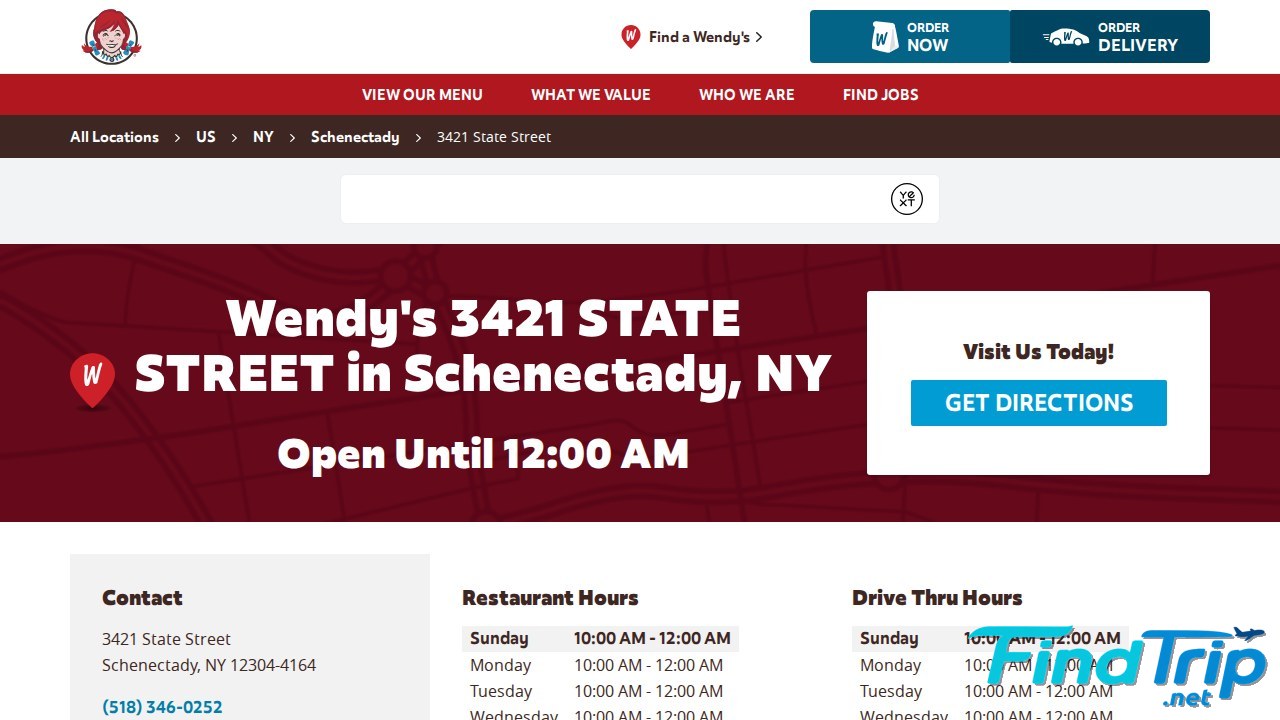
Ordering a quick meal should always be hassle-free, whether you are stopping by for a rapid lunch break, grabbing dinner for the family, or satisfying a late-night craving. The Wendy's location situated at 3421 State Street, Schenectady, NY 12304-4164 offers a full range of service options designed to fit different schedules and dining preferences. From traditional drive-thru orders to mobile app pickups and home delivery, knowing how to utilize each ordering method allows you to get your food efficiently while taking full advantage of available deals and reward points.
This step-by-step guide walks you through every stage of placing an order at this specific Schenectady establishment, highlighting how to prepare your order, customize menu choices safely, complete transactions seamlessly, and handle any potential order hiccups.
---
Overview of Ordering Options and Service Methods
Understanding the operational structure of this branch helps you choose the most convenient method for your visit. The Wendy's at 3421 State Street operates daily with consistent hours across its primary service channels:
- Restaurant Hours: Monday through Sunday, 10:00 AM to 12:00 AM.
- Drive-Thru Hours: Monday through Sunday, 10:00 AM to 12:00 AM.
This location provides several core amenities to enhance your visit:
- In-restaurant dine-in and counter ordering
- Drive-thru lane
- Mobile ordering via the official Wendy's App or web browser
- Mobile payment options
- On-site Wi-Fi access
- Kids' Meals options
- Third-party and direct delivery fulfillment
Holiday hours may vary, so checking digital channels during major national holidays is always recommended.
---
Step 1: Setting Up Your Preferred Ordering Channel and Rewards Account
Before placing an order, selecting the right platform ensures you receive localized menu pricing, store-specific item availability, and any active promotional offers.
1. Account Setup and Mobile App Download
To make the most of digital perks, download the official Wendy's App from the Apple App Store or Google Play Store, or access the service directly online at wendys.com.
1. Create a free account using your email address.
2. Opt into Wendy's Rewards during registration. Joining allows you to accrue loyalty points on every qualifying purchase, which can later be redeemed for eligible menu items.
3. Enable location services on your mobile device or manually enter 3421 State Street, Schenectady, NY 12304 to pin this exact location as your primary restaurant.
2. Digital Payment Setup
To streamline checkout at the counter, drive-thru, or mobile pickup bay, link your preferred payment method in your account profile. Acceptable digital options include credit cards, debit cards, digital wallet solutions supported by mobile payment, or Wendy's digital gift cards.
3. Choosing Between Pickup and Delivery
If you prefer doorstep delivery rather than traveling to State Street:
- Place a delivery request directly through the Wendy's app or website. Direct app orders frequently feature promotional savings, such as $3 off qualifying orders over $20 (subject to promotion terms).
- Alternatively, order via recognized third-party delivery services including DoorDash, Grubhub, Postmates, or Uber Eats. Note that item pricing on third-party platforms may differ slightly from in-restaurant menus, and delivery fees may apply.
---
Step 2: Selecting Your Meal and Customizing Items
Once your account is set and your location is locked to 3421 State Street, you can explore the localized menu categories.
1. Exploring Menu Categories
The menu features a wide spectrum of items tailored for lunch, dinner, or late-night snacks:
- Signature Hamburgers: Made with fresh, never-frozen beef (available in the contiguous U.S.), ranging from the multi-patty Baconator® (featuring six strips of Applewood smoked bacon) to standard single, double, or triple cheeseburgers.
- Chicken Sandwiches & Nuggets: Includes classics like the Spicy Chicken Sandwich, classic chicken tenders, and nuggets.
- Specialty Items & Limited-Time Offers: Specialty seasonal offerings such as the Pretzel Bacon Pub Cheeseburger or Pretzel Bacon Pub Chicken Sandwich served on a soft pretzel bun with beer cheese sauce, Muenster cheese, and crispy onions. Pair these with sides like Pub Fries topped with warm beer cheese sauce, bacon, and shredded cheddar.
- Value Meals: Options such as the Double Stack™ Biggie Bag®, which packages a sandwich (e.g., Double Stack™, Jr. Bacon Cheeseburger, or Crispy Chicken) with a 4-piece nugget, small fry, and small drink.
- Salads, Chili, & Baked Potatoes: Freshly prepared garden salads, warm beef chili, and seasoned baked potatoes offer alternatives to classic sides.
- Beverages: Options range from classic soft drinks to house specialties like Dr Pepper®, Diet Dr Pepper, Sprite® Watermelon, Watermelon Lemonade, or Watermelon Sparkling Energy.
- Desserts: The iconic Chocolate Frosty® or Vanilla Frosty®, alongside seasonal creations such as the Apple Crumble Frosty Fusion®.
2. Customizing Your Order and Checking Nutritional Data
The digital order interface permits full customization of items—allowing you to add extra bacon, remove pickles, or request specific sauces.
- Nutritional and Allergen Details: If you have dietary restrictions, click the blue "Nutrition & Allergens" link located underneath the item description on the app or website. As you add or remove ingredients during customization, the calorie counts update automatically in real time.
- In-Store Nutrition Information: If you are ordering in person at the 3421 State Street counter, a physical nutrition information poster is displayed inside the dining area. Restaurant crew members can assist in locating this board if needed.
---
Step 3: Placing the Order, Checking In, and Pickup Execution
After completing your selections, select your preferred fulfillment method at checkout.
Option A: Drive-Thru Fulfillment
1. Drive to the 3421 State Street location between 10:00 AM and 12:00 AM.
2. Enter the designated drive-thru lane and approach the speaker box.
3. If you placed a Mobile Order: Inform the crew member at the speaker that you have a mobile order and state your name or order code.
4. If ordering at the speaker: Speak clearly into the microphone, state your items, confirm customizations, and pull forward to the payment and pickup windows when instructed.
Option B: In-Restaurant Mobile Pickup or Counter Order
1. Walk into the dining lobby during standard operational hours.
2. For mobile pickup: Proceed to the designated mobile pickup counter area. Show your order confirmation screen to the crew member if required, pick up your bagged meal, and check that all drink orders are complete.
3. For counter placement: Queue in the main register line. Inform the cashier of your order, present any physical gift cards or digital barcodes for payment, and collect your order receipt.
Option C: Delivery Receiving
If you opted for delivery, monitor your app notification screen for real-time tracking. Ensure your contact telephone number and delivery drop-off instructions (e.g., porch delivery or gate access) are updated so the delivery driver can complete the transfer without delay.
---
Step 4: Completing Payment, Earning Rewards, and Providing Feedback
Completing the payment loop correctly ensures you collect loyalty credits and maintain an official transaction record for feedback.
1. Earning Wendy's Rewards Points
- In-App Orders: Loyalty points accumulate automatically upon checkout when your profile is signed in.
- In-Person / Drive-Thru Orders: Open your Wendy's App, tap the Rewards section, and present your unique account barcode for the cashier to scan before completing payment.
2. Finalizing the Transaction
Verify your total on the register display or terminal. Pay using cash, credit/debit card, stored mobile payment, or a physical/digital Wendy's gift card. (Gift card balances can be checked online via the official gift card portal prior to ordering).
3. Reviewing Your Receipt and Customer Feedback
Always retain your paper receipt or digital invoice. Your receipt contains vital data including the specific restaurant number, visit date, and exact transaction time.
- Customer Satisfaction Survey: You can use receipt details to complete an online customer satisfaction survey.
- Direct Location Contact: If you need to speak directly with the team at 3421 State Street regarding a recent order, call the store directly at (518) 346-0252.
- Customer Care Support: For broader account issues, app glitches, or unresolved service complaints, submit a message via the Live Chat feature on wendys.com or call Customer Care toll-free at 888-624-8140.
---
Common Pitfalls and Troubleshooting Tips
Even with a simple quick-service model, minor errors can interrupt your visit. Keep the following operational realities in mind:
- Arriving Outside Operating Hours: While this location stays open late until midnight (12:00 AM), placing an app order too close to closing time may lead to pickup complications if the kitchen has commenced closing procedures. Aim to place late-night orders well before midnight.
- Selecting the Wrong Location on the App: Schenectady and surrounding areas host multiple Wendy's units (e.g., Altamont Avenue or Erie Blvd). Double-check that your order destination is explicitly listed as 3421 State Street to avoid showing up at one location while your food is being prepared at another.
- Forgetting to Scan for Rewards Prior to Payment: Points cannot always be added retroactively by restaurant staff once a register drawer closes. Always present your Rewards barcode prior to handing over payment methods.
- Third-Party Delivery Discrepancies: If an issue arises with an order placed through DoorDash, Grubhub, Postmates, or Uber Eats, refund requests and missing item claims must generally be handled directly through that specific third-party platform's customer support system, rather than at the store register.
- Assuming Uniform Item Pricing Across Locations: Prices vary slightly by location and sales region. Rely on the digital app set to 3421 State Street to view accurate, up-to-date item pricing rather than relying on third-party memory or external reviews.
---
Summary Checklist for Your Visit
To ensure a seamless visit to Wendy's at 3421 State Street in Schenectady, keep this simple checklist in mind:
1. Verify Location & Hours: Confirm your app is set to 3421 State Street, Schenectady, NY (open 10:00 AM – 12:00 AM daily).
2. Build Your Order: Choose your meals, customize toppings, and review real-time allergen/nutrition details.
3. Apply Rewards & Offers: Scan your loyalty barcode or apply available digital reward offers before submitting payment.
4. Select Pickup Channel: Choose Drive-Thru, In-Restaurant Pickup, or Delivery depending on your schedule.
5. Keep Receipt: Retain your receipt for verification or to provide direct feedback via customer surveys or by calling (518) 346-0252.