First-Timer's Guide to Burger King: Ordering, Digital Account Setup, and Menu Breakdown
Learn how to order from Burger King at 25190 State Route 11. Guide covers digital account setup, menu options, pickup, and delivery steps.
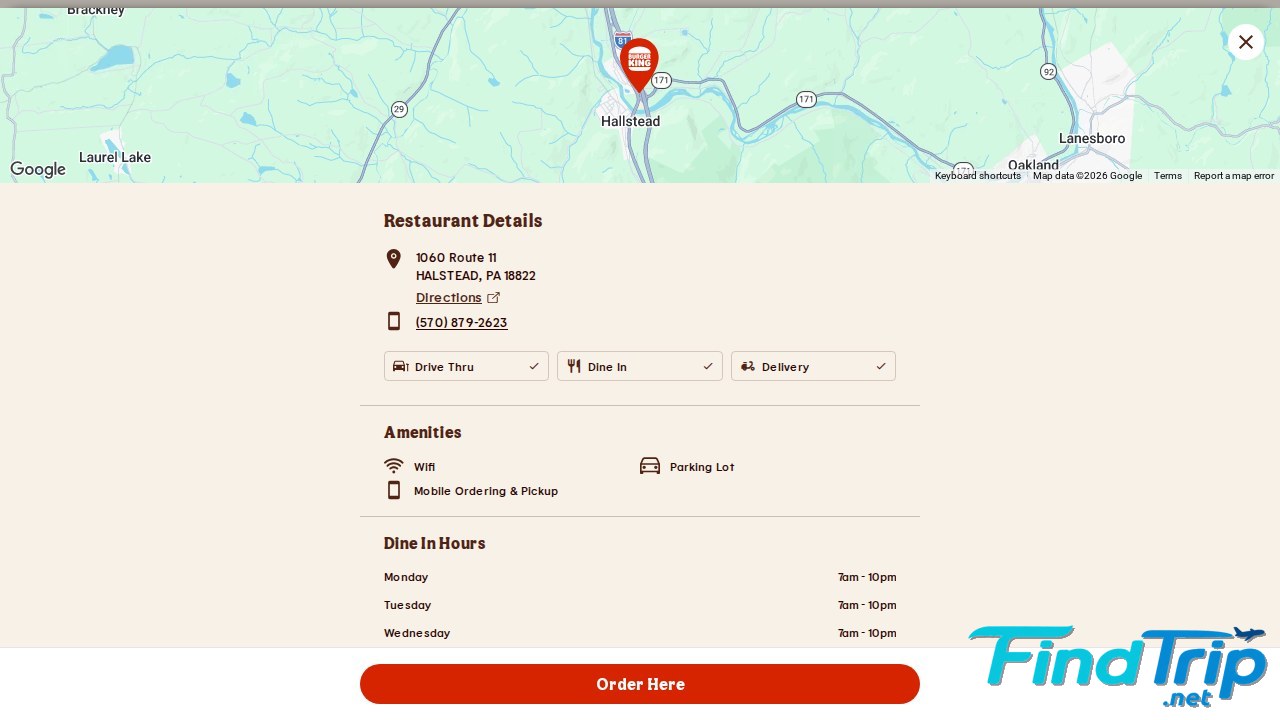
Navigating a fast-food staple for the very first time can feel overwhelming given the variety of ordering channels, loyalty programs, and menu options available today. Burger King has long established itself as a global leader in quick-service dining, famous primarily for its signature flame-grilled beef patties and classic side offerings like crispy french fries. For residents, travelers, and commuters passing through the Hallstead and Binghamton corridor along 25190 State Route 11, getting a meal from Burger King can be done in person or entirely online.
Whether you are planning to stop by for a quick bite on your way through town or looking to place your first digital order for pickup or delivery, knowing how the ordering process works will save you time and help you get the exact meal you want. This comprehensive guide covers everything a first-time customer needs to know—from setting up an online account to navigating the menu and placing an order efficiently.
---
What to Expect as a First-Time Customer
Burger King built its reputation on flame-grilling its burger patties over an open flame rather than pan-frying or flat-top cooking them. This distinct cooking process gives their burgers a smoky flavor profile that sets them apart from many other quick-service hamburger chains.
When ordering for the first time, you will encounter two primary paths: ordering on-site (at the counter or drive-thru) or using modern digital tools (the official web portal or mobile app).
Key Service Options Available
- Drive-Thru Ordering: Convenient for drivers on the go who want to order, pay, and receive food without leaving their vehicles.
- In-Store Ordering: Allows guests to step inside, view the overhead menu boards, use self-service kiosks (where available), and take out their food or eat in the dining room.
- Mobile & Web Pickup: Pre-order your food online via the official website or mobile app, select your preferred location, pay ahead, and pick up your order inside or at the drive-thru window.
- Doorstep Delivery: Order directly through the app or website to have flame-grilled burgers and crispy fries delivered to your home or office address.
Note: Specific store operating hours and local direct phone numbers are updated dynamically on the official Burger King store locator. If you plan to visit late at night or early in the morning, checking the digital locator prior to your trip is recommended.
---
Account Registration and Requirements for Digital Ordering
If you plan to order food online for pickup or delivery, creating a digital user profile on the official website (`bk.com`) or through the mobile app is the easiest starting point. Having an account allows you to save favorite items, store delivery addresses, access exclusive digital reward offers, and track past receipts.
Step 1: Gathering Basic Registration Information
To register an account as a new user, you will need a few basic details:
- Valid Email Address: Serves as your primary account login and receive digital order receipts.
- Mobile Phone Number: Used for order status updates, multi-factor account security verification, or delivery driver communications.
- Preferred Payment Method: A valid credit card, debit card, or supported digital wallet (such as Apple Pay or Google Pay) for digital transactions.
Step 2: Completing the Sign-Up Process
- Visit the official website (`bk.com`) or download the official application from your mobile device’s app store.
- Click on the Sign Up or Account button located at the top of the interface.
- Enter your full name, email address, and a secure password.
- Agree to the standard Terms of Service and Privacy Policy.
- Verify your email address by clicking the confirmation link sent to your inbox, if prompted.
Once your profile is active, you can sign in anytime across multiple devices to manage your orders seamlessly.
---
Step-by-Step Guide: Placing Your First Online Order
Placing an order online for the first time is straightforward once your account is active. The interface is designed to walk you through location selection, menu browsing, customization, and checkout.
```
+-------------------------------------------------------------------+
+-------------------------------------------------------------------+
+-------------------------------------------------------------------+
```
1. Selecting Your Location
When you start an order, the system will ask for access to your device's location or prompt you to enter a zip code, city, or address. To order from the location on the Hallstead/Binghamton route, search for 25190 State Route 11, Hallstead, US. Selecting the exact store ensures that the live menu inventory and correct tax rates are applied.
2. Choosing Pickup vs. Delivery
Before adding food to your bag, select how you intend to receive your food:
- Pickup: Choose whether you plan to pick up your order inside at the counter or through the drive-thru lane. Pickup eliminates delivery fees and allows you to grab your meal as soon as it is prepared.
- Delivery: Input your delivery address (home, workplace, or hotel). The platform will verify if your address falls within the active delivery radius for that store location.
3. Browsing the Menu Categories
The online menu is divided into clear categories to help you locate items quickly:
- Flame-Grilled Burgers: Featuring classic single, double, and triple beef patty options, as well as specialty variations topped with cheese, bacon, or specialty sauces.
- Chicken & Fish: Crispy chicken sandwiches, tenders, chicken nuggets, and fish fillet sandwiches.
- Sides: Classic salt-seasoned crispy french fries, golden onion rings, and other seasonal side items.
- Drinks & Desserts: Soft drinks, iced teas, shakes, sundaes, and warm baked goods like cookies and pies.
- King Jr. Meals: Kid-friendly meal combinations bundled with a side, drink, and toy.
4. Customizing Your Items
One of the key advantages of digital ordering is the ability to adjust your food without miscommunication. Burger King's motto of customizing meals allows you to tailor items to your personal taste:
- Add or Remove Toppings: Request extra pickles, fresh lettuce, sliced tomatoes, or onions; or choose to omit items like mayonnaise or mustard.
- Bun & Cheese Modifications: Select different bread options where applicable or opt out of cheese for dairy-free preferences.
- Meal Upgrades: Upgrade your side item from regular crispy fries to onion rings, or swap your beverage size from small to medium or large.
5. Applying Digital Coupons and Offers
Before proceeding to final payment, click on the Offers tab in the app or web navigation bar. First-time users often have access to introductory promotions, mobile-exclusive discounts, or meal deal bundles. Select the deal you want to use, click Apply to Order, and verify that the savings reflect in your subtotal.
6. Completing Checkout
Review your cart items, select your saved payment method, and confirm the transaction. You will receive an on-screen confirmation along with a digital receipt sent to your email. The app will display estimated preparation times so you know exactly when to arrive or when to expect your delivery driver.
---
Practical Tips for First-Time Customers
To ensure your first meal from Burger King goes smoothly, keep the following practical tips in mind:
- Check Order Details Before Submitting: Double-check your customization choices (such as "no onions" or "extra sauce") before clicking the final submit button.
- Arrive Promptly for Pickup: Hot items like crispy fries and flame-grilled burgers taste best when fresh. Try to arrive at the 25190 State Route 11 location close to the estimated pickup time shown on your app.
- Keep Order Notifications On: If ordering for pickup or delivery, turn on mobile notifications to receive real-time updates when your order moves from preparation to ready-for-pickup status.
- Utilize Digital Loyalty Points: Ensure you are logged into your account every time you place an order so that your account automatically earns rewards points on eligible food and beverage purchases.
---
Conclusion
Ordering from Burger King for the first time is a quick and straightforward process whether you prefer to walk up to the counter in person or place an order online for pickup or delivery. By registering an account on the official digital platform, selecting the location at 25190 State Route 11, and taking advantage of menu customization options, you can tailor your meal exactly to your liking. Explore the digital menu options, check for active mobile offers, and enjoy your flame-grilled burgers and crispy sides with total confidence.