Community Bank at 21 West Main Street: Essential Safety and Branch Guide
Safety guide for Community Bank at 21 West Main Street, Cuba, NY. Learn about branch features, ATM security, night drop box protocols, and account protection.
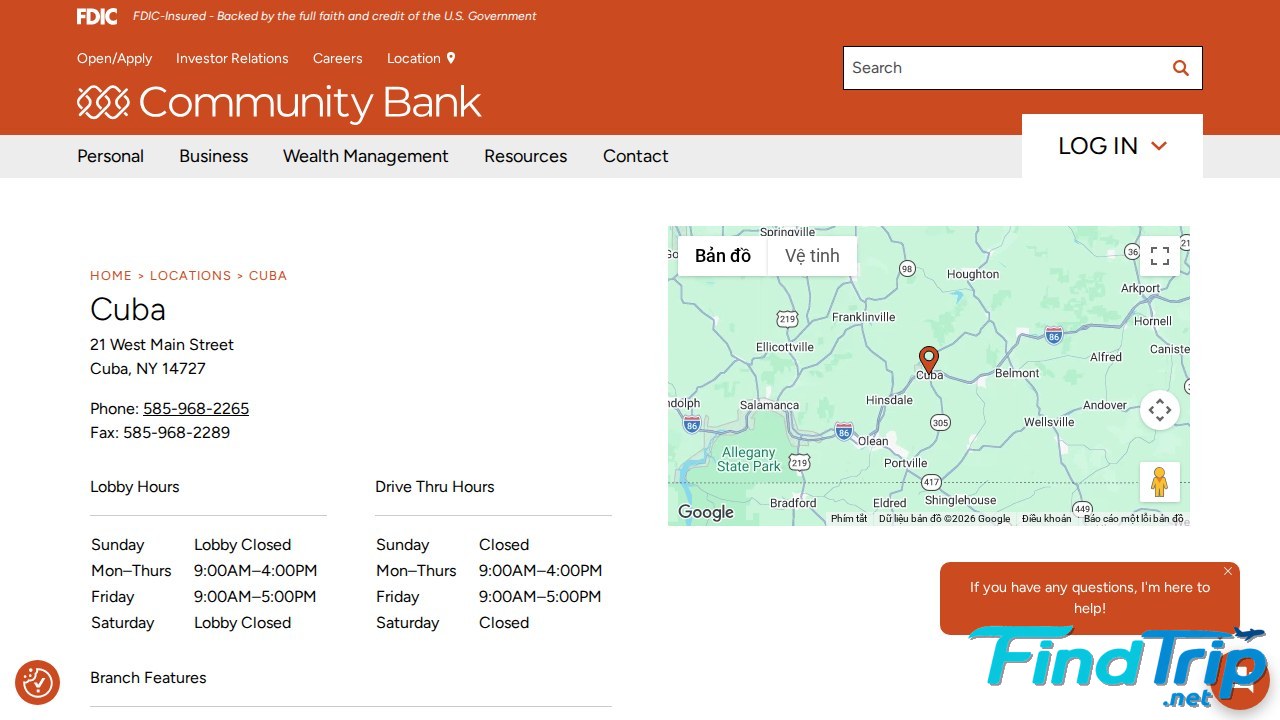
Managing personal finances requires both digital vigilance and physical awareness. Whether you are depositing a paycheck, retrieving items from a safe deposit box, or using an automated teller machine (ATM) after business hours, taking practical precautions ensures that your transactions remain secure.
Community Bank, located at 21 West Main Street, Cuba, NY 14727, serves as a local financial hub for individuals and small businesses in the area. This guide covers physical safety tips when visiting the branch, on-site security considerations for using branch features, digital banking precautions to safeguard your accounts, and verified steps for authenticating financial communications.
---
Physical Safety and Environment Awareness Outside the Branch
When visiting any physical financial institution, your security routine begins before you step out of your vehicle or walk up to the building. Being mindful of your surroundings helps mitigate potential risks, especially when carrying cash or sensitive legal documents.
Daytime vs. Nighttime Visits
- Daytime Planning: Visiting during standard lobby hours offers the safest environment, as staff members, tellers, and other customers are present. If you need to make large cash deposits or withdrawals, scheduling your trip during regular business operating hours is strongly advised.
- After-Hours Awareness: If you must use the Drive Thru ATM or the Night Drop Box outside regular operating hours, ensure the area around the facility is well-lit. Look around for any unfamiliar activity or loitering near the perimeter before exiting your car or pulling up to the machine.
Asset and Cash Protection
- Discreet Handling: Prepare your deposit slips, checks, and cards prior to entering the branch or approaching the ATM. Avoid counting cash openly in public spaces, in your parked car, or at the teller window. Put cash away securely in a wallet, zippered pouch, or bag before leaving the transaction area.
- Parking Considerations: Park as close to the main entrance or drive-thru lanes as possible. Ensure your vehicle windows are rolled up and doors are locked when you leave your car parked in the lot, even if you expect to be inside for only a few minutes.
- Valuables Out of Sight: Keep handbags, laptops, smartphones, and financial paperwork concealed in your trunk or glove compartment rather than leaving them exposed on passenger seats.
---
On-Site Branch Features and Safety Protocols
The Community Bank branch on West Main Street offers several convenient features designed to facilitate everyday transactions, commercial services, and secure storage. Understanding how to use these facilities safely protects both your personal well-being and your financial assets.
Branch Feature Overview and Safety Checklist
| Branch Feature | Primary Function | Key Safety Protocol |
| :--- | :--- | :--- |
| Drive Thru Window | In-car teller transactions during business hours | Keep doors locked; roll down window only when communicating with staff. |
| Drive Thru ATM | 24/7 card withdrawals, transfers, and balance checks | Inspect the card slot for suspicious attachments (skimmers) before insertion. |
| Safe Deposit Box | In-vault physical storage for valuable items | Store items in waterproof containers; maintain privacy when handling contents. |
| Night Drop Box | After-hours commercial and personal deposit drops | Ensure the deposit bag drops completely into the chute; keep receipts. |
Navigating the Facility
- Lobby Etiquette and Spatial Awareness: When waiting in line inside the lobby, maintain a respectful distance from the customer ahead of you at the counter. This protects their privacy during financial transactions and gives you space to manage your own documents without exposure.
- Emergency Exits: Take note of the primary customer entrance and secondary emergency exits upon entering the building. In the unlikely event of an emergency or power outage, remain calm and follow the directives provided by branch staff.
- Safe Deposit Box Protocols: Access to safe deposit boxes is restricted to authorized account holders and requires verification by branch staff. When accessing your box in the vault room, ensure your physical key is secured immediately after locking or unlocking the box. Never leave key duplicates unattended or marked with account details.
- Drive-Thru and Night Drop Security: When using the Drive Thru Window or Night Drop Box, stay inside your vehicle whenever possible. Keep your engine running if you are using an exterior drop box, and ensure the drop slot closes completely after inserting your deposit pouch.
---
Banking Security: Safeguarding Accounts and Digital Credentials
Financial security extends far beyond physical branch visits. As cyber threats, phone scams, and identity theft techniques evolve, protecting your account credentials, One-Time Passwords (OTPs), and personal identification numbers (PINs) is vital.
Strict Non-Disclosure Rules
- Never Share OTPs or PINs: Community Bank staff, including branch managers, loan consultants, or customer support representatives, will never ask you for your online banking password, ATM PIN, or multi-factor authentication passcodes (OTPs) via phone, text message, or email.
- Unsolicited Contact Caution: If you receive a call, SMS, or email claiming to be from the bank's fraud department requesting immediate verification of credentials, do not disclose any information. Hang up and contact the branch directly using verified contact details.
Using Official Transaction Channels
```
Official Verification Workflow for Suspicious Communications:
┌─────────────────────────────────────────────────────────┐
│ Receive unexpected phone call, text, or email request │
└───────────────────────────┬─────────────────────────────┘
│
▼
┌─────────────────────────────────────────────────────────┐
│ STOP: Do not share passwords, PINs, or OTP codes │
└───────────────────────────┬─────────────────────────────┘
│
▼
┌─────────────────────────────────────────────────────────┐
│ Cross-check official branch numbers (e.g., 585-968-2265)│
└───────────────────────────┬─────────────────────────────┘
│
▼
┌─────────────────────────────────────────────────────────┐
│ Call the official number or visit the lobby in person │
└─────────────────────────────────────────────────────────┘
```
- Verified Web Portals and Mobile Apps: Always access your accounts through the official web domain (`cbna.com`) or by downloading the official mobile application from verified app stores. Avoid clicking on links embedded in unfamiliar emails or text messages.
- In-Person Counter Transactions: For complex transactions, wire transfers, or updating account details, visit the lobby counter directly. Authorized staff members—such as Brenda Grandmaison (Branch Manager, NMLS ID: 479535) or commercial and mortgage specialists—handle account maintenance through secure internal systems.
Common Digital Fraud Red Flags
- Urgent Demands: Requests urging you to transfer money immediately to "prevent account suspension" or "cancel a fraudulent transaction."
- Third-Party Payment Requests: Pressure to convert funds into gift cards, wire transfers, or cryptocurrency.
- Unusual Email Addresses: Communications coming from non-official domain names rather than official corporate extensions (`@cbna.com`).
---
Verifying Official Information and Remaining Vigilant
When faced with unexpected account notifications or unusual physical circumstances around a branch, remaining calm and cross-checking facts with official channels is your best line of defense. Never let urgent claims force you into making hasty decisions regarding your money.
Verification Checklist for Branch Services
1. Check Operating Hours: Confirm current lobby and drive-thru hours via official channels prior to traveling, particularly before holidays or during severe weather.
2. Confirm Employee Identity: If working with loan officers or managers (such as mortgage or commercial banking officers), verify their NMLS identification numbers or official email domains.
3. Cross-Check Phone Numbers: Use the phone number listed on the back of your official debit/credit card, monthly account statements, or verified branch records rather than numbers provided in unverified text messages.
Official Branch Contact Information
For direct inquiries regarding branch services, safe deposit box availability, or account verification, refer to the verified Name, Address, and Phone (NAP) details below:
- Institution Name: Community Bank, N.A.
- Branch Address: 21 West Main Street, Cuba, NY 14727
- Branch Phone: 585-968-2265
- Branch Fax: 585-968-2289
- Customer Support Hotline: 1-800-388-4679
- Key On-Site Features: Drive Thru Window, Drive Thru ATM, Safe Deposit Box, Night Drop Box
- Insurance & Regulatory Status: Member FDIC, Equal Housing Lender
By maintaining physical awareness on site, exercising caution at ATMs and night drop boxes, and keeping digital credentials strictly confidential, you can confidently manage your everyday financial activities at Community Bank.