Burger King at 484 North Union Street: Essential Visitor Guide and Practical Safety Tips
Essential visitor and safety guide for Burger King at 484 North Union Street. Learn tips on personal security, secure payments, and store verification.
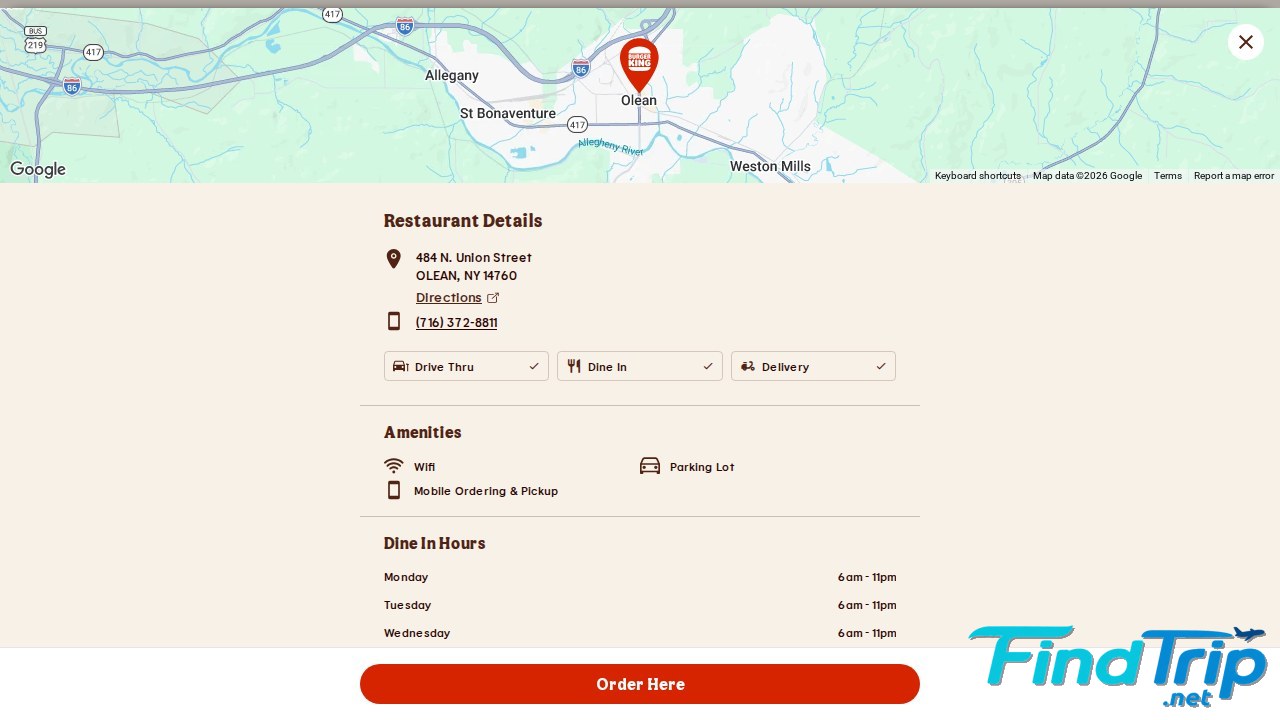
Planning a stop at Burger King on North Union Street offers a quick and familiar dining option whether you are a local resident, commuting across town, or embarking on a longer road trip through New York State. While fast-food dining is generally straightforward, having a clear plan regarding personal awareness, property security, payment safety, and official store verification ensures a seamless and hassle-free experience.
This guide breaks down practical steps for visiting the location at 484 North Union Street (Cuba / Olean area, US), focusing on general safety practices, indoor guidelines, secure payment protocols, and reliable ways to verify store information.
---
Practical Safety and Awareness When Visiting
When pulling into any quick-service restaurant along a busy commercial corridor, maintaining basic personal and property awareness is the first step toward an easy visit. Commercial stretches like North Union Street host a steady flow of vehicular traffic, local shoppers, and travelers. Taking a few proactive steps helps protect your belongings and ensures peace of mind.
Vehicle and Personal Belongings Security
Parking lots at quick-service establishments see constant turnover. To protect your vehicle and personal items while you step inside or wait for an order:
- Lock your vehicle immediately: Always roll up windows completely and lock your doors, even if you only plan to step inside for a two-minute order pickup.
- Hide valuables from plain sight: Items left on seats—such as laptops, shopping bags, backpacks, cell phones, or loose cash—can attract unwanted attention. Store them in your trunk or glove compartment before arriving at your destination.
- Park in well-lit zones: If visiting during early morning hours or late at night, select a parking space directly under operational exterior lighting and close to the main entrance or drive-thru window.
- Keep track of personal items: Inside the dining room, avoid leaving your wallet, phone, or car keys on the table while walking to the self-serve beverage station or restroom.
Late-Night and Drive-Thru Awareness
Fast-food outlets often operate drive-thru lanes that extend beyond standard indoor lobby hours. If you are visiting during late hours:
- Stay alert in the drive-thru lane: Keep a reasonable distance from the vehicle ahead of you to allow room to maneuver if necessary. Keep your doors locked while waiting in line.
- Prepare your payment method in advance: Have your payment card or mobile app ready before reaching the pickup window so you do not need to rummage through purses or glove boxes while stationary.
- Observe your surroundings: If you prefer to dine in or pick up an order inside, check that the lobby is visibly open and well-illuminated before exiting your vehicle.
---
Indoor Navigation, Emergency Preparedness, and Facility Guidelines
Once inside the restaurant, adhering to basic facility etiquette and being aware of your surroundings helps maintain a clean, safe environment for both guests and staff members.
Facility Navigation and Spatial Awareness
Quick-service dining spaces are designed for efficient flow, but high-foot-traffic areas can present minor hazards if you are not paying attention.
- Locate emergency exits: Take a quick glance at the layout upon entering. Emergency exit doors are clearly marked with illuminated signs and are kept clear of obstructions at all times.
- Watch for wet floors: Fast-food dining areas undergo regular cleaning. Look out for yellow caution signs near entrances, beverage stations, and restrooms, particularly during rainy or snowy weather when footwear tracks in moisture.
- Keep pathways clear: Place personal bags and coats under your table or on empty chairs rather than in main aisles where customers and employees carrying hot food trays need to walk.
Understanding Operational Limitations and Official Verification
Because dynamic elements like exact opening hours, holiday operating schedules, phone numbers, drive-thru availability, and localized menu pricing are subject to change, relying on static third-party listings or incomplete web pages can lead to unexpected delays.
For instance, the raw listing page for this location relies on dynamic web applications to populate real-time store details. If JavaScript is disabled or if external pages are outdated, details like breakfast cutoff times or indoor lobby closures may not render properly.
To ensure you have the most up-to-date operational details for the 484 North Union Street location, follow these best practices:
| Information Needed | Recommended Method | Why It Matters |
| :--- | :--- | :--- |
| Current Opening Hours | Check the official Burger King App or store locator website | Prevents arriving after lobby closure or during maintenance hours. |
| Drive-Thru vs. Lobby Access | Check real-time status on the official app | Lobby hours frequently differ from late-night drive-thru hours. |
| Specific Menu Availability | Browse local store menu in the BK App | Seasonal items or promotional deals can vary by regional franchise. |
| Direct Contact | Verify verified phone numbers via official channels | Avoids calling disconnected or unverified numbers found on web directories. |
---
Financial and Payment Security at Quick-Service Restaurants
Securing your financial data is just as important as protecting your physical belongings. Whether paying at the cash register, ordering through a drive-thru window, or using a smartphone application, following secure payment habits protects you against card fraud and digital scams.
In-Person Payment Precautions
When paying in person at the counter or drive-thru window:
- Keep your card in sight: Hand your card directly to the cashier or tap/chip pay at the payment terminal yourself. Ensure the terminal screen reflects the correct order total before completing the transaction.
- Use contactless payments when available: Tap-to-pay options (such as tokenized debit/credit card taps, Apple Pay, or Google Pay) provide enhanced security over magnetic stripe swipes by encrypting card details.
- Review your receipt: Always take your physical receipt or request a digital receipt to verify that charges match your items. Retain receipts until transactions post accurately to your bank statement.
Mobile Ordering and Digital App Safety
Using official mobile applications offers convenience, order customization, and loyalty reward points. However, digital orders require strict adherence to cybersecurity basics:
- Download only official software: Only download the official Burger King application from verified platforms like the Apple App Store or Google Play Store. Never download third-party ".APK" files or unverified app clones promising free food or unauthorized discounts.
- Protect your account credentials: Use a strong, unique password for your mobile ordering account. Enable two-factor authentication (2FA) or biometric logins (Fingerprint / Face ID) if supported by your device.
- Never share OTPs or sensitive passwords: Legitimate restaurant staff, customer service agents, or technical support representatives will never ask you for a One-Time Password (OTP), credit card PIN, or online banking credentials over the phone, via text, or in person.
- Avoid public Wi-Fi for financial transactions: If placing an online order while sitting in your car or at a dining table, use your cellular data connection rather than unencrypted public Wi-Fi networks.
---
Staying Calm and Verifying Official Channels
If you ever encounter an issue during your visit—such as a misplaced item, an order discrepancy, an unexpected store closure, or a payment glitch—maintaining a calm, methodical approach yields the best results.
Resolving In-Store and Order Issues
1. Speak directly to local management: If an order item is missing or incorrect, present your original receipt to a crew member or shift manager at the counter. Front-line staff can quickly adjust orders or issue refunds.
2. Handle payment discrepancies promptly: If you suspect a double-charge on your card, check your bank statement first to see if one of the charges is simply a temporary pending hold. If a duplicate charge finalizes, contact your card issuer or submit a support ticket through the official store app.
3. Report lost property immediately: If you leave a wallet, keys, or phone behind, return to the store as soon as possible or contact management directly. Refrain from offering financial rewards online to unverified individuals claiming to have found your items.
Summary Checklist for a Safe Visit
To sum up, keeping these simple guidelines in mind ensures a seamless trip to Burger King at 484 North Union Street:
- [ ] Before Leaving: Check the official Burger King mobile app or website to confirm current store hours and lobby availability.
- [ ] In the Parking Lot: Park in well-lit areas, lock all vehicle doors, and ensure no valuable electronics or bags are left exposed on seats.
- [ ] At the Register: Use contactless card payments or the official app where possible, and always retain your receipt.
- [ ] Data Privacy: Never share bank PINs, passwords, or SMS One-Time Passwords (OTPs) with anyone.
- [ ] Inside the Dining Area: Keep personal belongings close to you and stay observant of wet floor signs and marked emergency exits.
By combining reasonable situational awareness with modern digital security practices, you can enjoy a safe, convenient, and efficient dining experience every time you stop by.